
Quick answer
JRNY, Peloton App, and Zwift solve different primary jobs. JRNY is an adaptive coaching platform tied closely to compatible BowFlex and Schwinn equipment, with different App and All-Access memberships. Peloton App is an instructor-led class and activity-tracking platform that can be used without Peloton equipment, while selected third-party sensors or bikes can add specific metrics. Zwift is an interactive cycling and running environment that depends on compatible sensors, smart trainers, smart bikes, or treadmills and can control resistance only when the exact equipment and connection support that direction.
There is no overall winner. A buyer must first lock the intended equipment, required devices, operating systems, exact metrics, control direction, profile count, data destination, internet conditions, and subscription budget. A class library is not equipment control. A subscription price is not a complete ownership cost. No purchase or defer is valid. That outcome applies when a required combination remains undocumented or untested.
For the separate WalkingPad, KS Fit, and Apple Watch compatibility lane, see WalkingPad app and KS Fit compatibility guide; it is not a substitute for this three-platform comparison.
Scope and evidence boundary
This page compares three exact current platform identities for the U.S. market:
- JRNY, including the JRNY App and JRNY All-Access membership lanes;
- Peloton App, including Peloton App One and Peloton App+ as currently described by Peloton and the app stores;
- Zwift, including current monthly and annual membership records for cycling and running.
Three current platforms are not the full market. The comparison excludes Peloton All-Access hardware membership as a fourth platform lane, free video services, training-plan apps without current equipment integration records, and any unsupported claim based only on a retailer, review, forum, or app-store rating.
The comparison is research based. It can identify documentary support, explicit exclusions, conflicts, and missing fields. It cannot establish real-world pairing success, control reliability, metric accuracy, content quality, coaching effectiveness, privacy quality, accessibility, or buyer-specific suitability.
Platform identities, plans, and checked date
| Platform record | Current identity checked | Plan structure used here | Main evidence boundary |
|---|---|---|---|
| JRNY | JRNY mobile app plus JRNY web membership records | JRNY App and JRNY All-Access | Exact compatible product and screen type determine the usable membership lane |
| Peloton App | Peloton app ID 792750948 on Apple and package com.onepeloton.callisto on Google Play |
Peloton App One and Peloton App+ | Class access, third-party metrics, equipment membership, and app-store price fields are separate |
| Zwift | Zwift game plus Zwift membership/support records | Monthly and annual | Exact device, sensor, trainer, smart-bike, protocol, and membership state determine the experience |
The records were rechecked on September 13, 2026. A later app update, membership redesign, device-support change, or equipment firmware change can invalidate a row without changing the other platforms.
How the three platforms differ
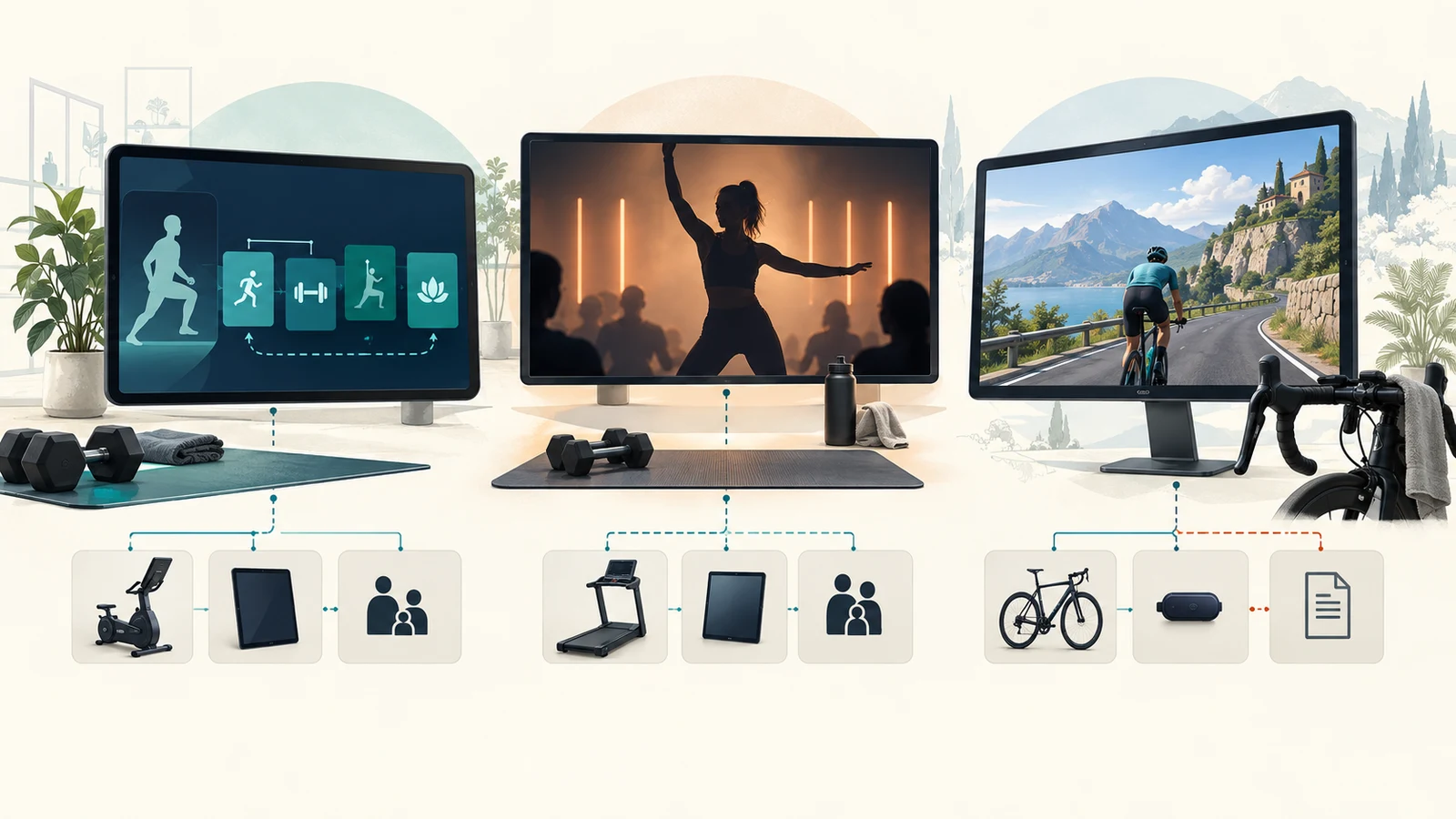
JRNY’s current official positioning centers on adaptive cardio, strength, and whole-body workouts that change over time and can integrate with named BowFlex or Schwinn products. Peloton App centers on live and on-demand instructor-led programming across cycling, running, rowing, strength, yoga, Pilates, meditation, and other modalities. Zwift centers on interactive virtual cycling and running, group activity, events, races, structured workouts, and controllable smart equipment.
These models create different dependency chains:
JRNY
account + correct membership tier + compatible equipment or mobile device

Peloton App
account + current app tier + playback device + optional wearable or equipment metric path

Zwift
account + active cycling membership + supported display device + compatible sensor/trainer/bike + reliable internet
The platform model should be selected before comparing content volume or price. A buyer who needs automatic smart-trainer resistance is not solving the same problem as a buyer who wants instructor-led yoga, and neither is necessarily solving the same problem as a household that owns a BowFlex touchscreen product.
Current subscription-price state
JRNY currently displays stable U.S. membership fields on its official home page: JRNY App at $11.99/month or $99/year, and JRNY All-Access at $19.99/month or $149/year. The page also states that All-Access supports up to six profiles and the App tier up to three. (JRNY membership overview)
The current Zwift membership FAQ still documents a 14-day monthly trial, a first-time annual refund boundary, and one profile per membership, but the accepted current page did not expose a reliable U.S. monthly or annual price field in this recheck. No current Zwift price is normalized here. (Zwift Membership FAQ)
Peloton’s current price state is materially conflicted across official surfaces. The U.S. homepage says paid App membership starts at $12.99/month; the U.S. Apple listing displays Peloton App One at $15.99/month and Peloton App+ at $28.99/month, with annual fields of $159 and $289; and the dynamic membership page returned zero-dollar placeholders for the App tiers while still describing their feature differences. These records are not reconciled here. Confirm the exact tier, platform, billing channel, trial, tax, and checkout total before subscribing. (Peloton homepage) (Peloton App on the Apple App Store) (Peloton membership comparison)
Current listing arithmetic, before tax and assuming twelve unchanged monthly charges, is illustrative only:
| Current plan field | Twelve monthly charges | Current annual field | Arithmetic difference |
|---|---|---|---|
| JRNY App | $143.88 |
$99.00 |
$44.88 |
| JRNY All-Access | $239.88 |
$149.00 |
$90.88 |
| Zwift | Not calculated because the accepted current FAQ did not expose a price field | Not exposed | Unknown |
| Peloton App | Not calculated because current official price fields conflict | Not normalized | Unknown |
This table is not a three-year forecast, checkout quote, or total-cost comparison. It excludes hardware, display devices, sensors, trainers, internet, electricity, taxes, streaming subscriptions, accessories, return exposure, and price changes.
JRNY platform and membership tiers
JRNY currently separates the equipment lane from the membership lane. JRNY All-Access is described as required for the full experience on most BowFlex products with a built-in touchscreen and supports up to six profiles. JRNY App is designed for a mobile phone or tablet used with compatible connected products or for mobile-only workouts and supports up to three profiles. JRNY says the App membership is not compatible with BowFlex built-in touchscreen products, except for the T16 exception shown on the U.S. page. (JRNY membership overview)
The current JRNY Apple listing identifies app ID 1413381639, seller Johnson Health Tech Trading, version 2.26.0, and an iOS/iPadOS 18 minimum. The current Google Play route identifies package com.nautilus.bowflex, Johnson Health Tech Trading, and an update date of June 2, 2026; the checked public page did not expose a reliable minimum Android version, so that field remains unknown. (JRNY on the Apple App Store) (JRNY on Google Play)
JRNY’s official app description covers adaptive coaching, trainer-led videos, whole-body workouts, scenic routes, personal bests, and milestones. Streaming entertainment on built-in screens requires the appropriate JRNY lane and separate third-party streaming subscriptions; it is not part of the JRNY App membership on a phone or tablet in the same way. (JRNY membership overview)
Peloton App platform and membership tiers
The current Peloton Apple listing identifies app ID 792750948, seller Peloton Interactive, and support for iPhone, iPad, Apple TV, and Apple Watch. It requires iOS/iPadOS/tvOS 17 or later and watchOS 8 or later. The current Google Play listing identifies package com.onepeloton.callisto, Android 7.1 or later from version 3.36.0, Wear OS support, and an update date of September 4, 2026. (Peloton App on the Apple App Store) (Peloton App on Google Play)
Peloton’s membership comparison distinguishes Peloton App One from Peloton App+. Peloton App One is currently described as limited to three cardio-equipment classes per month while retaining broader non-equipment programming; Peloton App+ is described as the fuller cardio-equipment class lane. Both are one-profile app memberships on the checked comparison page. Because the current price fields conflict across official surfaces, the tier distinction is documentary but the normalized price comparison is withheld. (Peloton membership comparison)
The Peloton App can play classes without connected equipment. Compatible wearables or third-party devices can add selected metrics, but the exact metric and direction must be documented separately. App access does not turn a generic exercise bike into a Peloton Bike, and an App membership is not the same as the All-Access membership used on Peloton hardware.
Zwift platform and membership
Zwift is an interactive cycling and running platform. Its current Google Play listing describes virtual worlds, group rides, races, workouts, training plans, smart-trainer or smart-bike connections, and running through a compatible treadmill or footpod. The Google Play route was updated September 4, 2026. (Zwift on Google Play)
The current U.S. membership FAQ does not expose a reliable monthly or annual price field in this recheck. It does document that a monthly membership begins with a 14-day free trial; a first-time annual subscriber does not receive that trial but may cancel within 30 days for a full refund under the current FAQ. Each membership supports one profile. (Zwift Membership FAQ)
Cycling requires an active membership. Zwift’s cancellation record says progress remains saved, riding stops after the paid period, and running remains available. This makes Zwift’s post-cancellation state different from both a complete account deletion and a hardware-specific fallback. (Zwift cancellation guidance)
Device and operating-system scope
| Platform | Current checked device scope | Important unresolved or changing field |
|---|---|---|
| JRNY | iPhone and iPad require iOS/iPadOS 18 or later; Android app exists | Minimum Android OS was not exposed in the checked public page |
| Peloton App | iPhone, iPad, Apple TV, Apple Watch; Android phones/tablets/TV and Wear OS | Exact feature parity varies by device and must not be inferred from install eligibility |
| Zwift | Windows, macOS, Android, iPhone, iPad, Apple TV | Device models, RAM, graphics, storage, Bluetooth, and OS requirements are detailed and time sensitive |
Zwift’s current support page lists Android 9 or later, 3 GB RAM, 4 GB free storage, OpenGL ES 3.0, and Bluetooth 4.0 or later. The current table lists iOS 15.0 or later and tvOS 15.0 or later; the page retains the August 4, 2026 effective-date notice for that change. Device requirements remain time sensitive. (Zwift supported devices)
Install eligibility is only the first gate. The buyer must also verify app version, hardware revision, Bluetooth permissions, local-network permissions, screen size, connection limits, accessory bridges, and the exact feature required on that device.
Account and household profiles
JRNY currently permits up to six profiles on All-Access and up to three on the App tier, with named exceptions for some Max Trainer products. Peloton’s checked App membership table shows one profile. Zwift’s membership FAQ states one profile per membership and requires additional accounts and memberships for additional users. (JRNY membership overview) (Peloton membership comparison) (Zwift Membership FAQ)
Profile count is not merely a convenience field. It affects private history, recommendations, milestones, billing, household cost, and whether two users can preserve separate records. A household should not treat a six-profile JRNY tier, a one-profile Peloton App tier, and a one-profile Zwift membership as price-equivalent subscriptions.
Equipment compatibility is platform-specific
JRNY publishes a named compatible-product list and distinguishes mobile-device products from built-in-screen products. Peloton App can be used without equipment, and selected bikes or sensors can send selected metrics into the app. Zwift depends on a compatible power source, speed source, footpod, smart trainer, smart bike, treadmill, or other supported sensor path.
The word compatible must therefore identify:
- exact equipment and revision;
- app/platform identity and version;
- phone, tablet, computer, TV, or watch;
- operating system and region;
- account and membership tier;
- Bluetooth, ANT+, Wi-Fi, Ethernet, USB, or bridge path;
- data source and destination;
- whether the platform reads data, writes data, or controls equipment;
- observed versus documentary status.
A broad compatibility logo is not enough to establish any of these fields.
Connection and control direction
For every platform, record the relationship as an arrow rather than a single yes/no label:
equipment or sensor → platform metric
platform → equipment control
platform → health or wearable destination
wearable or health source → platform history
platform → exported activity file
A path may support one arrow and not the others. A cadence sensor can send cadence without power. A heart-rate monitor can send heart rate without bike speed. A smart trainer can send power and accept resistance commands. A class app can play video without receiving any equipment metric.
JRNY equipment connection and control
JRNY’s current product lists bind its platform to named BowFlex and Schwinn products. The App Store version history also documents specific equipment-control changes for specific products, including start/stop support for the BowFlex T9 and Horizon T101-08 and auto-adjusting incline on named programs and routes. Those release notes show why control must be exact-product scoped; they do not establish control for every JRNY-compatible bike, treadmill, or strength product. (JRNY on the Apple App Store)
For a proposed JRNY setup, verify separately:
- whether the equipment uses JRNY App or JRNY All-Access;
- whether metrics flow from the equipment to JRNY;
- whether any command flows from JRNY to equipment;
- whether the command is start/stop, incline, resistance, or another function;
- whether the feature depends on a current firmware, program, or route;
- whether the equipment still has a usable local mode without JRNY.
The current general sources do not prove a single universal JRNY control model.
Peloton App playback and metric direction
Peloton App’s baseline value is class playback and activity tracking. Selected third-party devices can provide real-time metrics, and Peloton’s membership table lists cadence tracking and real-time metrics from third-party devices. The exact bike or sensor still determines whether the app receives cadence, heart rate, or another metric. (Peloton membership comparison)
The checked current sources do not establish general Peloton App control of third-party bike resistance, incline, speed, or braking. A bike that sends cadence to Peloton remains manually controlled unless an exact current source and direct test prove another direction.
Peloton hardware may have Peloton-specific control features, but those are not transferred to a generic bike, Schwinn IC4, BowFlex C6, smart trainer, or other third-party equipment merely because the Peloton App is installed.
Zwift sensor, trainer, and smart-bike direction
Zwift’s pairing model separates POWER SOURCE, RESISTANCE, CADENCE, CONTROLS, and HEART RATE. Current official connection guidance for compatible trainers and smart bikes instructs users to pair the power source first and then pair resistance and cadence as supported. That separation allows a smart trainer to send power and accept resistance commands while a basic sensor may send only one metric. (Zwift Wattbike connection guide)
Connection methods can include Bluetooth, ANT+, Wi-Fi, Ethernet, USB, Companion bridging, or a trainer bridge, depending on the exact hardware. Zwift’s control path is therefore stronger than a generic class-playback path only when the exact smart equipment is supported and correctly paired. It is not a universal property of every stationary bike.
Manual control versus automatic control
| Requirement | JRNY | Peloton App | Zwift |
|---|---|---|---|
| Class or workout playback | Documented | Documented | Structured workouts and virtual environment documented |
| Equipment metrics | Exact compatible product required | Exact sensor/bike path required | Exact power/speed/cadence source required |
| Automatic equipment control | Documented only for specific products and functions | Not established for general third-party equipment | Documented for compatible controllable trainers or smart bikes |
| Manual fallback | Exact equipment dependent | Generic equipment can still be used manually while playing a class | Exact trainer/bike dependent outside Zwift |
Automatic is not synonymous with adaptive. JRNY can adapt workout recommendations without controlling every piece of equipment. Peloton can guide a resistance change without commanding a third-party bike. Zwift can command a compatible trainer while still requiring the rider to shift or use controls in other configurations.
Heart rate and wearable connections
JRNY, Peloton, and Zwift can each use health or wearable data in some configurations, but the wearable role differs. Peloton supports Apple Watch and Wear OS paths and current integrations with Apple Health, Garmin Connect, and Fitbit. Zwift pairs a heart-rate source as a separate device tile. JRNY’s app and compatible-product records include workout metrics and milestones, but the exact wearable and health-platform direction must be checked for the selected equipment and app version.
A watch or heart-rate monitor can supply heart rate without supplying cadence, power, speed, or equipment control. A health-platform write does not prove that every workout field, interval, or device record was transferred correctly.
Workout history and progress
JRNY documents personal bests, milestones, adaptive recommendations, and a workout journal. Peloton documents class history, freeform activity tracking, goals, challenges, and wearable-sourced activities. Zwift stores activity history, progression, routes, workouts, events, and cycling/running records.
History is not the same as export. A platform may display past workouts while offering limited raw-file access. A platform may also retain progress after subscription cancellation while restricting new rides or paid content. The buyer should define whether the requirement is visual history, trend analysis, health-platform synchronization, raw files, or account portability.
Health-platform and wearable data flows
Peloton currently documents read and write connections with Apple Health and import paths from Garmin Connect and Fitbit. It also documents automatic export of Peloton workouts to Garmin Connect when the write permission is enabled, plus duplicate-detection rules for imported activities. (Peloton wearable integration) (Peloton Garmin Connect export)
These integrations do not establish a general open export API, complete field parity, permanent availability, or identical behavior on every device. They also do not prove that a duplicated or edited workout will be handled exactly as the buyer expects.
Health sync is not a raw-file export. A health-platform or wearable connection may move selected fields without creating a user-downloadable, complete, portable activity archive.
For JRNY, the checked official sources support in-platform history and personal bests, but a general current raw activity-file export route was not established. For Zwift, activity-file access is documented separately and is more explicit.
Raw activity and workout files
Zwift officially documents .fit activity files, .txt logs, and .zwo workout files across supported devices. Activity files are available on the original device and Zwift.com; log files remain on the device where the activity occurred; Apple TV file recovery may require support. (Zwift activity, log, and workout files)
The reviewed current JRNY and Peloton sources did not establish a same-scope general raw-file export path equivalent to Zwift’s .fit route. Peloton’s Garmin and health-platform integrations are data flows, not proof of a user-downloadable raw archive. That field remains unknown rather than being declared absent.
Offline use and internet dependence
Zwift requires an internet connection because it is an online multiplayer environment. Its support guidance recommends at least 3 Mbps bandwidth and ping under 50 ms for correct operation. (Zwift internet speed guidance)
The current reviewed JRNY and Peloton sources did not provide a complete, same-scope offline matrix covering downloads, login, entitlement checks, equipment pairing, workout playback, history synchronization, and reconnect behavior. Streaming entertainment and live or cloud-dependent features necessarily add network dependencies, but the exact offline fallback remains unverified.
A downloaded app is not an offline guarantee. A previously downloaded class is not proof that equipment metrics, coaching, history, or account validation will work without connectivity.
Background behavior, reconnect, and updates
App-store availability and official setup instructions do not prove stable reconnect after an operating-system update, app update, firmware update, network interruption, Bluetooth permission reset, or account reauthentication.
A complete test would record:
- cold start and login;
- first pairing;
- app background and foreground transitions;
- screen lock and wake;
- network interruption;
- Bluetooth interruption;
- equipment power cycle;
- app update and device restart;
- reconnection and data continuity;
- fallback when reconnection fails.
None of those tests was performed for this article.
Cancellation, pause, renewal, and refunds
JRNY’s current terms say subscriptions auto-renew at the then-current rate, direct subscriptions should be cancelled at least 48 hours before the cycle ends, and app-store subscriptions must be managed through the relevant store. JRNY’s refund policy says monthly fees are not refundable and first-billed annual memberships are eligible for a refund only if cancelled within 30 days. Monthly direct subscribers can currently pause through the JRNY account interface. (JRNY terms of use) (JRNY refund policy)
Peloton’s Apple and Google listings describe automatic renewal and platform-managed cancellation. A cancellation during the active period prevents the next charge but does not cancel the already active period. Current tier price and trial fields remain purchase-channel dependent. (Peloton App on the Apple App Store) (Peloton App on Google Play)
Zwift says cancellation should occur at least 24 hours before renewal, access continues through the billing period, progress remains saved, and directly billed monthly memberships can be paused for 7, 14, 30, 60, or 90 days. Apple-billed memberships cannot use the same pause path. (Zwift cancellation guidance) (Zwift pause guidance)
Data deletion and privacy-disclosure boundary
The JRNY and Peloton Google Play pages contain developer-provided data-safety disclosures and state that users can request deletion. Apple likewise labels privacy fields as developer-provided and not independently verified by Apple. These disclosures identify declared categories and controls; they are not independent privacy audits or proof of deletion timing. (JRNY on Google Play) (Peloton App on Google Play)
Zwift documents a permanent account-deletion path after membership cancellation and says deletion removes all data and progress. That is different from merely cancelling the subscription while retaining progress. (Zwift account deletion)
This article does not score privacy, security, data minimization, or legal compliance. A buyer with a material privacy requirement should review the current policy, permissions, data flows, deletion process, and region-specific rights separately.
Service shutdown and lock-in
Lock-in includes more than the monthly fee. It can arise from a built-in screen, equipment firmware, account-bound profiles, adaptive history, class library, smart-trainer control, platform-specific workouts, health integrations, or files that are difficult to move.
JRNY All-Access is required for the full experience on most BowFlex built-in touchscreen products, while the JRNY App tier generally does not substitute for that lane. Peloton App content, live features, tier limits, and third-party metrics depend on the current membership and app ecosystem. Zwift cycling requires an active membership, but its documented .fit activity files reduce one data-portability risk.
No current source can guarantee that any platform, integration, price, content catalog, or device support will remain unchanged for the equipment’s useful life.
Fallback when a platform or subscription is unavailable
The fallback must be verified for the exact equipment:
- Can the equipment start and change resistance locally without the app?
- Does the built-in screen offer a free or manual mode?
- Can a mobile device still play locally available content?
- Does a smart trainer have a manufacturer app or level mode outside Zwift?
- Are workout files already exported?
- Will profiles and history remain after cancellation?
- Can another sensor or display replace the failed platform path?
Peloton App has a playback-only concept that can remain useful with generic manually controlled equipment, subject to the current free or paid content tier. Zwift retains progress after cancellation and leaves running available, but cycling requires active membership. JRNY’s fallback varies by exact compatible product and membership lane and cannot be generalized from the platform home page.
Current comparison matrix
| Decision field | JRNY | Peloton App | Zwift |
|---|---|---|---|
| Primary platform model | Adaptive coaching and equipment-linked workouts | Instructor-led class library and activity tracking | Interactive simulation, training, group activity, and racing |
| Equipment required | No for mobile whole-body content; yes for equipment-linked features | No for class playback | Yes for meaningful cycling/running movement data |
| Household profiles | Up to 3 App / 6 All-Access | 1 App profile in checked table | 1 profile per membership |
| Built-in-screen dependency | Material for All-Access products | Peloton hardware uses a separate equipment membership | Display can be computer, mobile device, or Apple TV |
| Third-party equipment metrics | Exact compatible product | Selected metrics on selected paths | Power, resistance, cadence, controls, and heart rate separated by device |
| General third-party equipment control | Not universal; specific products/functions only | Not established | Available on compatible controllable trainers or smart bikes |
| Raw activity file | Not established in checked sources | General raw-file route not established | .fit activity files documented |
| Internet | Cloud/streaming dependency; complete offline matrix unknown | Complete offline matrix unknown | Required for riding |
| Current U.S. price | $11.99/$99 App; $19.99/$149 All-Access |
Conflicting current official fields; recheck checkout | Not exposed in the accepted current membership FAQ; recheck checkout |
| Best documentary use | Compatible BowFlex/Schwinn adaptive lane | Broad instructor-led content and selected metrics | Compatible sensor/smart-trainer interactive training |
No row is a quality score. The table identifies which evidence and dependency chain the buyer must verify.
Case: adaptive coaching on compatible BowFlex equipment
Requirement: adaptive cardio recommendations on a named BowFlex product, with platform-linked progress.
JRNY is the documentary candidate because its current platform is built around adaptive workouts and a named compatible-product list. The buyer must still determine whether the equipment uses JRNY App or All-Access, whether the exact console revision is supported, what metrics and commands are available, and what remains usable without the subscription.
Peloton App and Zwift are not substitutes for this exact adaptive-equipment requirement merely because they offer workouts.
Case: built-in BowFlex touchscreen for a household
Requirement: four household profiles on a BowFlex product with a built-in touchscreen.
JRNY All-Access is the documentary candidate because the official page supports up to six profiles and says All-Access is required for the full experience on most built-in touchscreen products. JRNY App’s three-profile lane is not a substitute for the built-in-screen lane. (JRNY membership overview)
The exact product exception, firmware, free mode, and cancellation fallback remain purchase-specific.
Case: instructor-led classes without connected equipment
Requirement: live and on-demand strength, yoga, Pilates, meditation, running, and cycling classes without buying connected hardware.
Peloton App is a documentary candidate because its current app records cover broad instructor-led content on phones, tablets, TVs, and watches without requiring Peloton equipment. The buyer must confirm whether Peloton App One’s three-cardio-class monthly limit is acceptable or whether Peloton App+ is required, then confirm the current checkout price. (Peloton App on the Apple App Store) (Peloton membership comparison)
JRNY also has mobile whole-body content, but its primary differentiation is adaptive coaching and equipment integration. Zwift is not a broad yoga, meditation, or Pilates class library.
Case: third-party bike with cadence only
Requirement: play an instructor-led cycling class and see cadence from a compatible bike or sensor; power and resistance control are not required.
Peloton App can remain a documentary candidate when the exact current bike or Bluetooth cadence sensor path is supported. This is a cadence result only. It does not prove power, speed, distance, automatic resistance, or Peloton Bike equivalence.
JRNY and Zwift may also read cadence in specific configurations, but that does not answer the instructor-led Peloton-class requirement.
Case: smart trainer with controllable resistance
Requirement: virtual terrain or workout targets change a compatible smart trainer’s resistance, with power and cadence recorded.
Zwift is the documentary candidate when the exact trainer or smart bike can be paired as power source, resistance, and cadence. The buyer must check current hardware support, firmware, connection mode, controllable status, calibration requirements, and fallback. (Zwift Wattbike connection guide)
Peloton App class instructions do not establish third-party smart-trainer control. JRNY control exists only for named supported products and functions, not as a universal smart-trainer protocol.
Case: Apple TV as the workout display
Requirement: run the main platform on Apple TV.
Peloton App officially supports Apple TV at tvOS 17 or later. Zwift’s current support table lists tvOS 15.0 or later for specified Apple TV models. JRNY’s checked Apple listing covers iPhone and iPad, not Apple TV. (Peloton App on the Apple App Store) (Zwift supported devices)
The buyer must also count Bluetooth connections and determine whether Companion or trainer bridging is needed.
Case: Android 8 device
Requirement: use an existing Android 8 device.
Peloton’s current listing says Android 7.1 or later from version 3.36.0, so it survives the operating-system gate, subject to device compatibility and required features. Zwift requires Android 9 or later, so it fails this exact gate. JRNY’s checked Google Play page did not expose a reliable minimum Android version, so it remains unknown rather than passing. (Peloton App on Google Play) (Zwift supported devices)
Install eligibility still does not prove equipment connection or feature parity.
Case: four household profiles
Requirement: four people need separate recommendations and histories under one subscription.
JRNY All-Access is the only current documentary survivor among the checked standard tiers because it supports up to six profiles. JRNY App supports up to three, while Peloton App and Zwift list one profile per membership. The exact equipment must also qualify for All-Access. (JRNY membership overview) (Peloton membership comparison) (Zwift Membership FAQ)
A one-profile subscription should not be shared as though separate private histories exist.
Case: raw FIT files required
Requirement: obtain a user-accessible activity file for independent storage or compatible analysis.
Zwift is the documentary candidate because it publishes a .fit file location and availability on the original device and Zwift.com. Peloton has current health and Garmin data flows, but the reviewed sources do not establish a same-scope general raw-file download. JRNY’s checked sources also do not establish one. (Zwift activity, log, and workout files)
A health-platform sync is not a raw-file export.
Case: unreliable home internet
Requirement: core workouts and equipment functions must remain dependable without reliable internet.
Zwift fails the documented requirement for riding because an internet connection is required. JRNY and Peloton App cannot be passed from the checked sources because their complete offline behavior, entitlement checks, downloads, equipment connection, and history synchronization were not verified. (Zwift internet speed guidance)
The correct result is defer until the exact offline and local-equipment fallback are tested.
Case: no recurring subscription
Requirement: no recurring payment for the full desired platform experience.
None of the three paid lanes can be declared a fit. Peloton may offer free or limited app access, JRNY may expose selected free functions on compatible machines, and equipment may have local modes, but those states do not equal the full paid experience. Zwift cycling requires active membership.
The buyer should define the minimum acceptable fallback, then verify it on the exact equipment before purchase.
Case: cross-platform health data
Requirement: import wearable activities into the platform and export completed platform workouts to another health ecosystem.
Peloton has the clearest current documentary path among the three checked platforms because it supports Apple Health, Garmin Connect, and Fitbit imports and a Peloton-to-Garmin export permission. The exact fields, duplicates, time window, device, and current permission settings still require verification. (Peloton wearable integration) (Peloton Garmin Connect export)
Zwift provides .fit files and third-party connections but the specific two-way health-hub requirement must be mapped separately. JRNY’s general raw data and health-platform direction remain incomplete in the checked source set.
When JRNY is a documentary fit
JRNY is a documentary candidate when the buyer owns or plans to buy a named compatible BowFlex or Schwinn product, values adaptive coaching or equipment-linked workouts, accepts the correct App or All-Access tier, and can verify the exact control, metric, profile, device, internet, and fallback path.
It is not yet a fit when the buyer assumes a mobile App subscription will replace All-Access on a built-in touchscreen, needs a general raw-file export, or needs control of unlisted third-party equipment.
When Peloton App is a documentary fit
Peloton App is a documentary candidate when the buyer prioritizes instructor-led content, uses a supported phone, tablet, TV, or watch, accepts the current tier’s cardio-class limits and price, and needs only those third-party metrics that are explicitly documented.
It is not yet a fit when the buyer requires automatic third-party resistance control, stable normalized pricing from the conflicting current records, guaranteed Android/iOS parity, or a general raw-file export not established by the reviewed sources.
When Zwift is a documentary fit
Zwift is a documentary candidate when the buyer wants interactive cycling or running, owns a supported display device and compatible sensor or smart equipment, accepts one profile per membership, has reliable internet, and needs exact power, resistance, cadence, control, or .fit file paths documented for that hardware.
It is not yet a fit when the buyer has unsupported hardware, requires offline riding, needs a broad instructor-led yoga or strength library, or assumes every Bluetooth bike is controllable.
When none of the three fits
None fits when a required combination remains unsupported, for example:
- four household profiles without JRNY-compatible All-Access equipment;
- no recurring payment plus full premium content;
- offline smart-trainer control;
- Peloton instructor classes with guaranteed third-party automatic resistance;
- raw files, broad class content, six household profiles, and no internet in one platform;
- unsupported device or operating system;
- required data deletion, export, or fallback behavior that has not been verified.
The next action may be to change the requirement, test the exact setup, select another platform, or make no purchase.
Missing and conflicting inputs
Material unresolved fields include:
- Peloton’s normalized current Peloton App One and Peloton App+ price because official surfaces conflict;
- Zwift’s current U.S. monthly and annual price because the accepted current membership FAQ did not expose a reliable price field;
- JRNY’s current minimum Android version in the checked public route;
- complete offline matrices for JRNY and Peloton;
- background and reconnect behavior for all three;
- exact JRNY data-export and health-platform direction;
- a same-scope general Peloton raw-file export path;
- exact hardware fallback without each subscription;
- metric accuracy and latency;
- platform-specific accessibility behavior;
- support response and service continuity;
- future catalog, price, tier, device, and integration changes;
- complete equipment, sensor, display, internet, tax, and subscription ownership cost.
Conflicts remain separate. Unknown is not converted to no, zero, unsupported, or compatible.
Recommendation boundary
The evidence supports a requirement-driven shortlist, not a winner:
- shortlist JRNY for a documented compatible-equipment and adaptive-coaching lane;
- shortlist Peloton App for broad instructor-led content and explicitly supported metrics;
- shortlist Zwift for compatible smart-equipment simulation, control, and documented activity files;
- defer when the required tier, price, device, metric, control direction, export, offline state, or fallback is unresolved.
No platform is declared best, cheapest, most private, most reliable, most accurate, safest, or superior in value. No subscription or equipment purchase is recommended from documentation alone.
Next step
Create a one-page platform requirement record before paying:
platform and tier
billing channel and current checkout
profiles needed
exact equipment and hardware revision
display device and operating system
required metrics
required control direction
wearable and health destinations
raw-file requirement
internet and offline requirement
cancellation and pause requirement
fallback without subscription
unknowns that block purchase
checked date
Then verify each required arrow with current official documentation and, for any pairing, control, offline, reconnect, latency, or export claim that matters, perform a controlled test on the exact account, device, app version, equipment, and network. For broader equipment context, see the live exercise bikes compatible with the Peloton App guide.
For a separate three-year subscription-cost scenario, see the Subscription vs No-Subscription Cardio Equipment: Three-Year Cost Framework; it does not convert platform differences into a value recommendation.
For a bounded smart-system versus modular-equipment comparison, see the smart home gym versus modular equipment comparison, which keeps function parity, space, subscription, five-year scenario, and unresolved buyer checks separate from a recommendation.
For the broader app, data, subscription, and service lock-in boundary, see App Shutdown, Data, Subscription, and Device Lock-In Risks in Smart Fitness.
Methodology
FitFootprint compared current first-party U.S. platform pages, app-store identities, membership and cancellation records, equipment-connection documentation, device requirements, and data-flow records rechecked September 13, 2026. Fields were normalized by platform identity, plan, account/profile count, device and OS, equipment scope, connection, metric source and destination, control direction, offline behavior, export, cancellation, deletion, fallback, and evidence status.
Official statements were treated as documentary support only. App-store privacy fields were treated as developer disclosures, not independent audits. Dynamic or conflicting price fields were not reconciled. Missing Android, offline, export, control, or fallback fields remained unknown. No account, app, equipment, subscription, cancellation, or data transaction was performed.
Sources
- JRNY — Digital Fitness Platform — U.S. membership tiers, profiles, compatible-product and screen-type boundaries — rechecked September 13, 2026
- Apple — JRNY app ID 1413381639 — U.S. app identity, version, iOS/iPadOS requirement, in-app purchase fields and developer privacy disclosure — rechecked September 13, 2026
- Google Play — JRNY package com.nautilus.bowflex — Android app identity, update date, cancellation language and developer data-safety disclosure — rechecked September 13, 2026
- JRNY — Refund Policy — monthly and annual refund boundary — rechecked September 13, 2026
- JRNY — Terms of Use — renewal, cancellation channel and timing — rechecked September 13, 2026
- Peloton — Membership comparison — Peloton App One/Peloton App+ features, cardio-class limit, metrics and profile fields; current price fields retained as conflicted — rechecked September 13, 2026
- Peloton — U.S. homepage — current paid App membership starting-price statement — rechecked September 13, 2026
- Apple — Peloton App ID 792750948 — U.S. device/OS, app version, purchase fields and developer privacy disclosure — rechecked September 13, 2026
- Google Play — Peloton package com.onepeloton.callisto — Android requirement, Wear OS, renewal and developer data-safety disclosure — rechecked September 13, 2026
- Peloton — Wearable integrations — Apple Health, Garmin Connect, Fitbit, import/export and duplicate handling — rechecked September 13, 2026
- Peloton — Garmin Connect sync — automatic Peloton-to-Garmin export direction — rechecked September 13, 2026
- Zwift — Membership FAQ — current trial, profile and deletion/cancellation boundaries; price not exposed in recheck — rechecked September 13, 2026
- Zwift — Cancellation guidance — access through billing period, saved progress and cycling/running distinction — rechecked September 13, 2026
- Zwift — Pausing and resuming membership — direct monthly pause durations and restrictions — rechecked September 13, 2026
- Zwift — Supported devices — computer, Android, iOS, iPad and Apple TV requirements; current iOS/tvOS 15 table — rechecked September 13, 2026
- Zwift — Connecting a Wattbike — power, resistance and cadence pairing direction — rechecked September 13, 2026
- Zwift — Internet speed guidance — bandwidth and latency recommendation — rechecked September 13, 2026
- Zwift — Activity, log and workout files — FIT, TXT and ZWO access and storage boundaries — rechecked September 13, 2026
- Zwift — Permanent account deletion — cancellation-before-deletion and permanent data/progress removal — rechecked September 13, 2026
- Google Play — Zwift package com.zwift.zwiftgame — current app identity, platform model and update date — rechecked September 13, 2026